Comments by yanbu
4,489 comments

.

holy shit! that was fantastic - check the anim y'all
nice animation

ha! nice

only five more! me want see!
no image
hey flgman - it should work on any browser, did you click the re-touch button on one of your images yet? whatever you created before should appear on screen after clicking re-touch
no image
oh and in the galleries after clicking a thumb, under the drawing is a 'view details' text link which shows the same page - but i think that one was more obvious than clicking the image in here - maybe i'll make it so a text link shows up under the draw if there are any extra versions
no image
i guess in the rush of getting this site up i don't think i explained that you can click on a drawing in this board to see the image on it's own page, which also shows the version history.
you can click on the thumbnails below the drawing to see the previous versions - there was an issue with this before where the image would bounce, the layout would change when clicking the highlight which was just fixed. so that's that
i hope this actually happened

ok thanks, i replicated the problem (see above, one drawing had the number one and the second had number two but was overwritten by number one)
it looks like you can't have two drawing apps open at the same time right now. you'll have to draw with one applet open at a time until there's a fix - anyone else have dual apps running before the new site went up?
no image
five
no image
six
no image
four
no image
three
are you using internet explorer or firefox/safari? which browser are you using - explain the steps that led to this once more
doubles!? i'm not sure i understand, which drawing was overwritten? i'll do some digging and try to find out. what happened with opening a new tab? were you drawing in two different open tabs?

dude, unknown has got you beat

how did you f the time on this>? or wha? 25hours
that's something i thought of when this was getting started - i'll see how hard it will be to make it so a draw can be saved but not posted until you mark it finished to keep working on it
i could possibly disallow re-touch on a per person basis. . . i had the same internal argument about the option, i think it also is a nice thing to have when you have run out of time to work on something but want to finish more in the future
fixed! thanks to scott - the image not showing up issue is no longer an issue, whew - long story but nothing to worry about
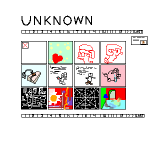
thanks for the heads up sheep - the gallery navigation is set so that you view any of the page numbers listed on the screen by clicking the numbers (1-13 on the first page) clicking the >> tab brings you to page 14, viewing 14-24 - then clicking >> again brings you to page 25, etc. clicking first or last will bring you to the very first page or very last page of a gallery
the unknown gallery has a ton of stuff in it that belongs to people still, it's been hours of combing through to re-attach the images to the correct artists (i posted about the unknown gallery on the front news page before the boards went up on sunday) the import script used to get everyone in attached an image to a name based on the correct spelling of the artist name versus the IP address, if there were name variations or different IP's the drawing went to the unknown . . . hopefully i can get all these sorted out to the right people by the weekend. The only way to do it is manually, and as you can imagine it takes hours just to do a few hundred! and lots of the images have no name at all, or a name that has never been used before, so it's kind of impossible on the majority of the images to see who they really go to.
if anyone feels like going through and finding their own stuff, please do - and add it to a new folder (you can create a folder in your gallery page) and then email when you've made a list. i can convert them easier this way, but it takes a looong time to go through these. so either wait for me to do it over the next week, or email me if you do find yours so i don't do the work twice! thanks

hey mrae! click the re-touch text link on the top right of the image title bar (i'm seeing it in the board view) just to the right of the title, artist name and time
i clicked it and i can see the giant grid of circles just fine, maybe try again? which browser are you using and what version?

i think i know why this happened, and no worries y'all - you won't be having phantom dropouts on your hard works
shit